

Pause, stop or resolve a run
Pause, resume, retry, abort, archive or resolve a run
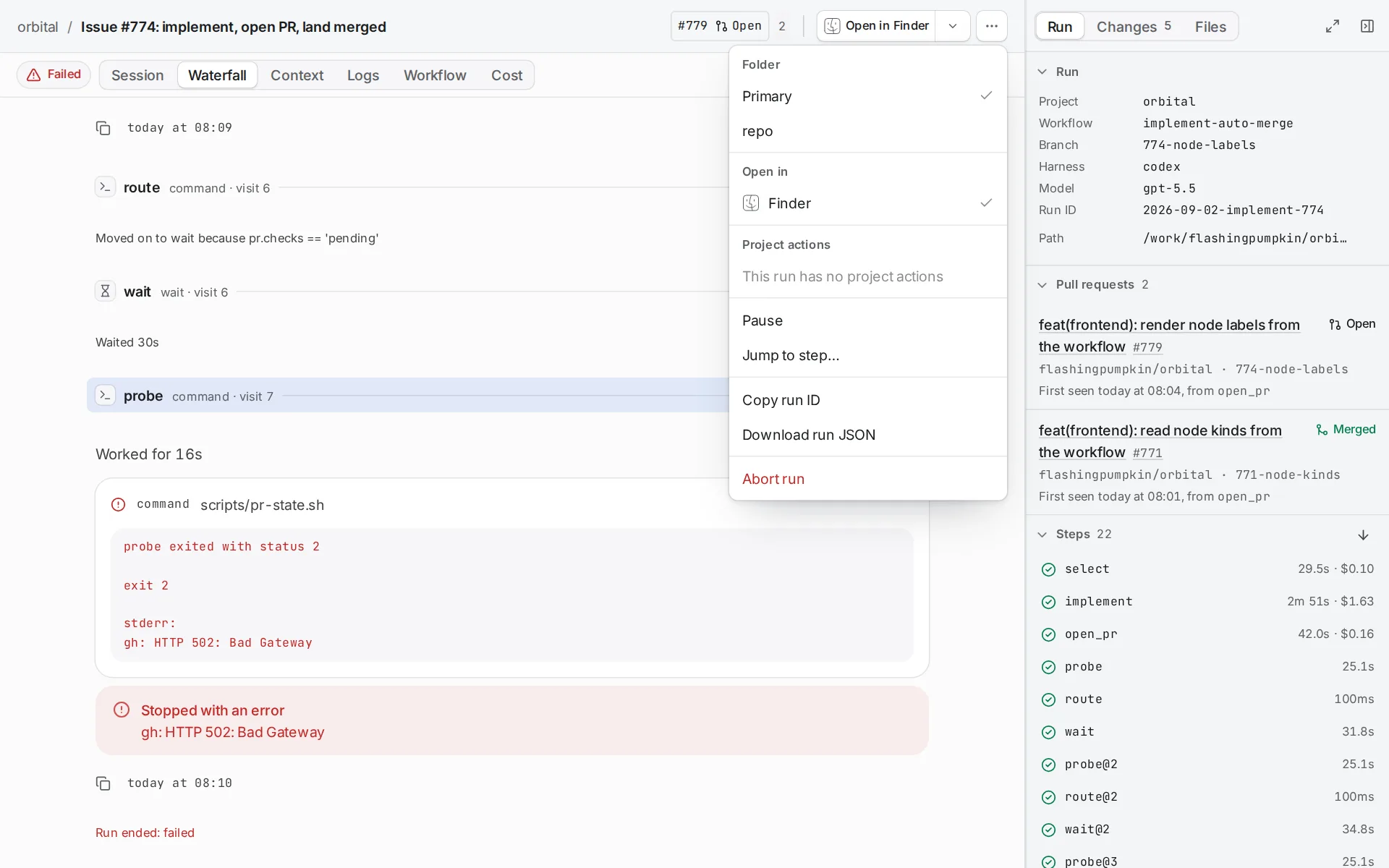
You pause, stop or resolve a run from its run page. Pause and Resume sit on the composer, and every other control sits in the Run actions menu (⋯) in the header. The app offers a control only when it applies.
Pause and resume a run
Section titled “Pause and resume a run”Choose Pause to pause the step the run is on and hand it back to you. The run frees its run slot and shows “Paused” until you act.
Choose Resume to carry the same step on from where it stopped, in the same agent session. To start the step again from the beginning instead, choose Retry step.
A run can also stop by itself and show “Waiting on you”. Standings lists when that happens. The same controls carry it on.
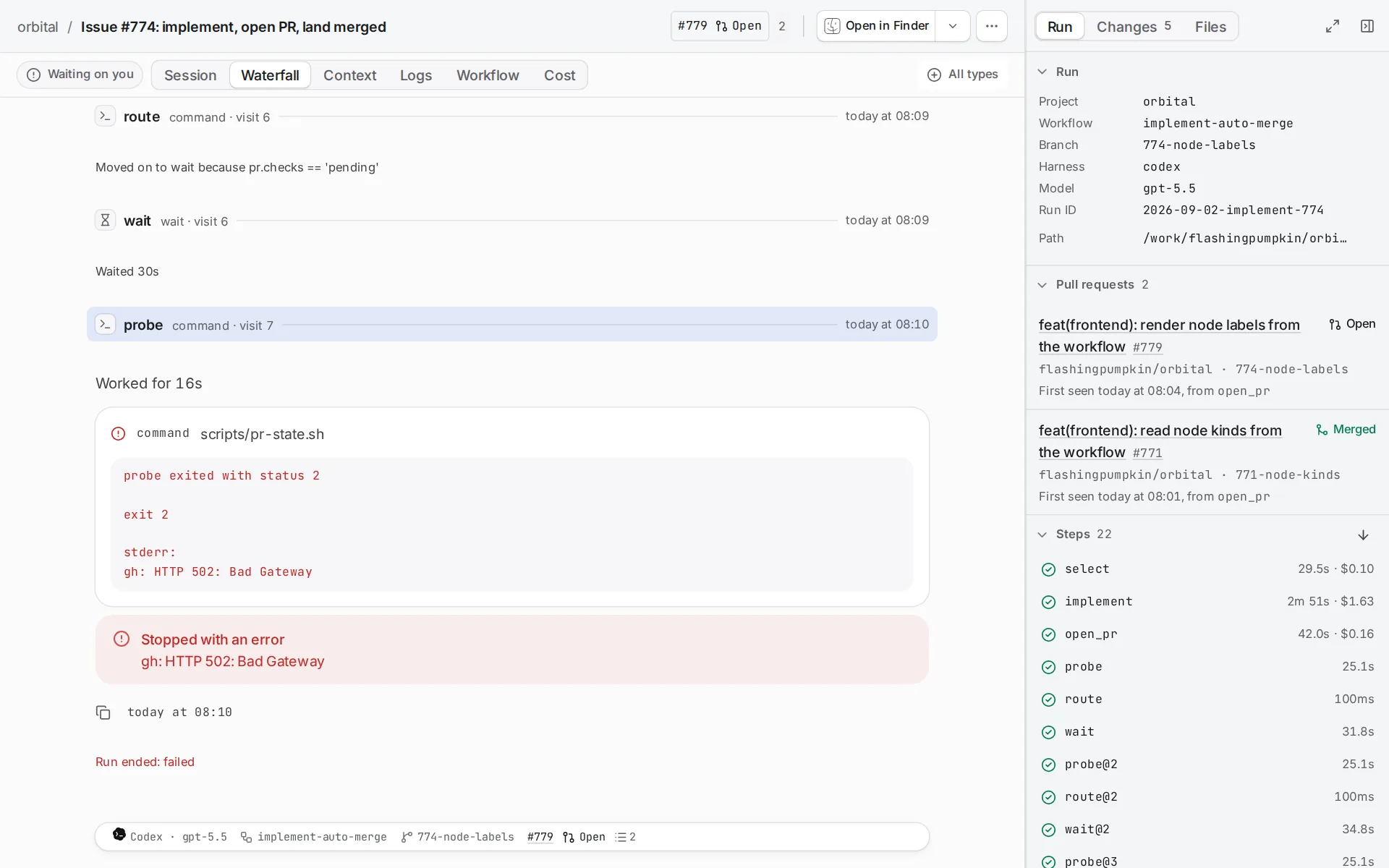
Resume a paused conversation
Section titled “Resume a paused conversation”In Pause and chat, your Resume is approval. An external or MCP Resume asks exactly “the agent was asked to resume. should it resume?”. Rejecting leaves the graph paused. Approval during a conversational Turn waits for that Turn to settle, including its final edits and handoff. A server restart preserves pending requests and approved continuation.
Resume consumes a held handoff once through normal step completion. Without a handoff, an interrupted agent continues its Session. Commands rerun, waits start their full duration, and every interrupted Fan-out branch starts a fresh visit. Earlier external effects remain; Resume does not roll them back.
Abort a run
Section titled “Abort a run”Aborting a run stops its step and ends the run.
-
Open the Run actions menu.
Choose ⋯ in the run page’s header.
-
Choose Abort run.
Orbital asks first.
-
Confirm.
Choose Abort run in the dialog, or Cancel to keep the run going.
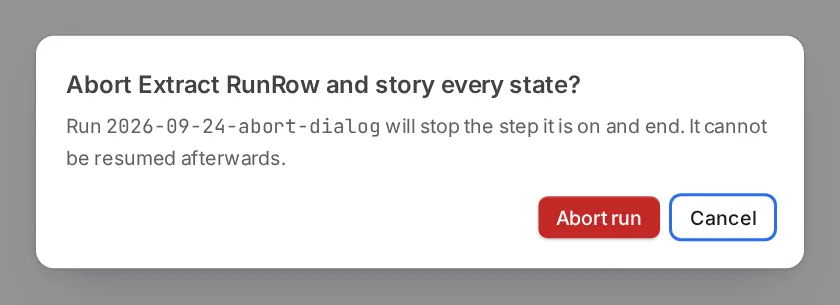
The dialog warns that the run cannot be resumed.
Give a run a time limit
Section titled “Give a run a time limit”A time limit ends a run that goes on too long, such as one that loops or hangs on a command. No run has one unless you give it one.
- One run. Choose Time limit beside the workflow when you start the run, or pass
timeLimitin minutes tostart_run. - The runs a trigger rule starts. Choose a time limit in the rule’s Then step.
- Every new run of a project. Set Time limit under Tasks on the project’s page.
The most specific limit wins: the run’s own, then its trigger rule’s, then its project’s.
The limit counts from the moment the run starts and holds through a restart of Orbital. When it passes, Orbital commits each checkout’s uncommitted work on the run’s branch and pushes it, then aborts the run wherever it stands. The run’s history and its listing say that its time limit ended it and where the work went. A paused or stopped run whose limit passed ends as soon as it is resumed.
The run’s Run panel shows the limit and when it ends. To raise, lower or clear it while the run goes on, choose ⋯ in the run page’s header and pick another Time limit. A new limit still counts from the run’s start.
Limit how much a run does at once
Section titled “Limit how much a run does at once”A parallel limit caps how many agent turns and commands one run runs at once, counted across all its fan-outs, however deeply they nest. Work beyond it waits for a free place and runs when one frees; nothing is dropped or failed. No run has one unless you give it one, so a run otherwise runs as much at once as its fan-outs’ max_parallel allow.
- One run. Choose Parallel limit beside the workflow when you start the run, or pass
parallelLimittostart_run. - Every new run of a project. Set Parallel limit under Tasks on the project’s page.
The run’s own limit wins over its project’s. A run keeps the limit it started with, and a restarted run takes it too.
Resolve a failed or aborted run
Section titled “Resolve a failed or aborted run”You can mark a run that ended Failed or Aborted as resolved. Choose Mark as resolved in the Run actions menu, and the run leaves the cards at the top of Recent runs.
All run controls
Section titled “All run controls”| Control | What it does |
|---|---|
| Pause | Pauses the step the run is on and hands it back to you. The run frees its slot. |
| Resume | Carries the same step on from where it stopped, in the same agent session. |
| Retry step | Starts the step again from the beginning, as a new visit. |
| Retry with another harness… | Starts the step again on another harness. See Switch a run’s harness. |
| Jump to step… | Moves the run to another step. |
| Skip | Ends a wait now, or opens a gate. |
| Abort run | Stops the step and ends the run. You cannot resume it afterwards. Orbital asks first. |
| Restart as new run | Runs the same frozen workflow, goal and inputs again, as a new run. |
| Archive, Unarchive | Hides a finished run from the list, or brings it back. Archiving removes the run’s worktrees. |
| Delete permanently | Removes the run and its history. |
| Move to front of queue | On the runs list, starts a queued run next. |
| Mark as resolved | Takes a Failed or Aborted run off the cards at the top of Recent runs. |
Controls survive a restart
Section titled “Controls survive a restart”A control you send while Orbital restarts still applies. Durability after restarts explains how.
Related
Section titled “Related”- Runs: the standings a control moves a run between.
- Message a run: steer the agent instead of stopping it.
- Switch a run’s harness: retry a step on another harness.
- The run queue: what happens to a slot when you pause or resume.
- Durability after restarts: how controls and paused runs survive a restart.